
One Net miniClient is a One Net application that runs on your PC or Mac®. You can use One Net miniClient to make and receive calls to your contacts or other phone numbers. On PC, One Net miniClient can integrate with Skype for Business to make calls to contacts outside your One Net service.
Contacts tab
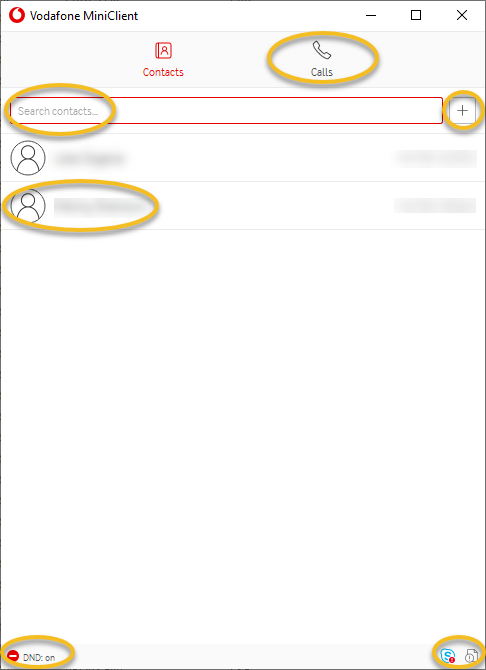
Calls Tab

Features and benefits of One Net Operator Console
Making calls with One Net miniClient
Using One Net miniClient, you can make a call in the following ways:
By double-clicking the contact in the main One Net miniClient window
By searching for the contact in One Net miniClient and double-clicking it
By using the One Net miniClient dial pad
By right-clicking the contact in your Skype for Business directory and selecting One Net miniClient
Read more about making calls with One Net miniClient >
Managing calls with One Net miniClient
For every active call you have a set of available actions. You can:
Put the call on hold
Mute the call, disabling your microphone
Use the dial pad to send tones during the call
Transfer the call - the transfer can be unannounced or announced
End the call
Read more about managing calls with One Net miniClient >
Managing contacts with One Net miniClient
For your list of contacts in One Net miniClient you have a set of available actions. You can:
Search for contacts
Add a new contact
Edit an existing contact
Delete an existing contact
Import multiple contacts from a CSV file
Read more about managing contacts with One Net miniClient >
Comments
0 comments
Please sign in to leave a comment.