
 Information for administrators
About configuring desk phones
The devices' availability depends on your solutionDesk phones, conference phones and a range of hardware products are available in One Net Business and One Net Office.
Administrators can personalise desk phones by setting up programmable keys for:
- Storing phone numbers for speed dialling. These numbers are in addition to the phone numbers users can store in their speed dial list.
- Monitoring other users' availability with an attendant console.
Read about monitoring lines >
 Monitoring features must be active
Users must have the Eligible to Monitor feature active to monitor other users' lines. Only the users who have the Eligible to be Monitored feature active can be monitored.
The keys that you can personalise and the options available depend on the make and model of the phone.
Read about desk phones and attendant consoles supported in One Net >
Configuring a desk phone
Information for administratorsYou can assign speed dial numbers or monitored lines to:
- Users' phone numbers and speed dial numbers
- Company numbers and company speed dial numbers
- Short numbers
 Managing your own settings
To manage your own settings, select your own account from the users list.
To configure keys on a desk phone
For administrators only
- Select Management > Users & Groups.
- In the Users Management section, select Manage.
- Search for a user whose settings you want to manage or select a user from the users list.
- Select .
- Select My Numbers > My Numbers List.
- In the My Landline Number section, select View More.
- In the Phone Configuration section, select View More.
- Select .
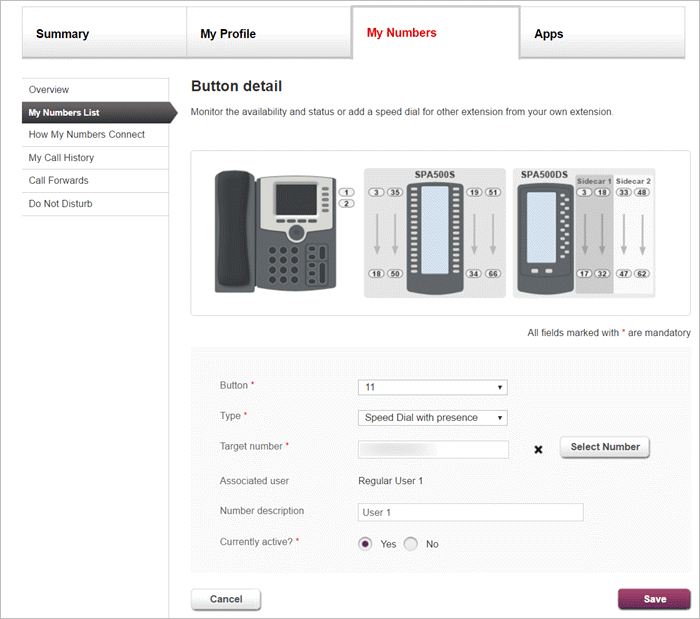
- To add a speed dial number, select from the list.
Or
To add a monitored line, select from the list.
Comments
0 comments
Please sign in to leave a comment.