
About One Net administration
One Net provides two levels of administration: company and group. A group administrator manages the users and services for their group. A company administrator oversees the whole organisation and can manage the users and services in any group.
About the administration roles
A company administrator oversees the organisation-wide use of One Net service and can act as the group administrator for any of the organisation's groups. The company and group administration roles can be combined if all the users belong to one group or the groups don't need to be managed independently.
Any article in this Information Site is clearly marked if it contains information relevant to an administrator's work. Articles for company administrators are marked:
 Information for company administrators
Articles for both company and group administrators are marked:
Information for administratorsBoth company and group administrators can view and modify users' call services and profile settings.
Using One Net Feature Management Portal as an administrator
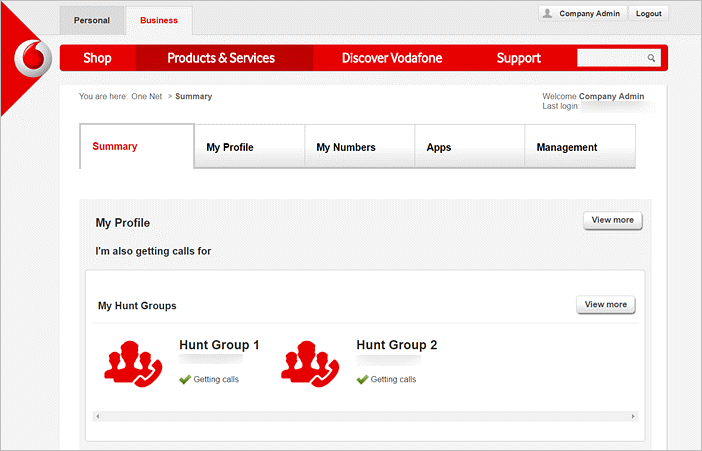
When you log in to One Net Feature Management Portal as an administrator, you can see your own settings and the Management tab.
Switching views
You can view and modify the call services and profile settings for the users assigned to your company or its groups. To do this, you switch your view in One Net Feature Management Portal to that of a user.
To switch to a user view
- Select Management > Users & Groups.
- In the Users Management section, select Manage.
- Select a user whose settings you want to manage.
- Select .
- When you've finished, select Exit this account at the top of the page.
 Managing your own settings
To manage your own settings, select your own account from the users list.
Comments
0 comments
Please sign in to leave a comment.